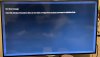
I am try to condense a number of m3u playlists into a single json playlist, but after adding it as a local GSE playlist, GSE crashes every time. Ideally I'd like to review the logs, but I can't find any logs for GSE in the usual locations or even when using Sloth.
I'm using the default "Jsonsample.json" playlist as my template to make sure the labels are correct.
This is GSE SMART IPTV Pro v4.4
MacOS Sonoma 14.5
Attached is my example playlist and the most recent stack trace.
Any suggestions would be greatly appreciated!
_slayer_
It sounds like you’re encountering issues with GSE Smart IPTV Pro when attempting to load a large, combined M3U playlist converted to JSON. There are a few potential causes for this, including playlist size, formatting issues, or how the JSON is structured. I’ll go through some suggestions that might help resolve the crashing issue.
1.
First, make sure the JSON you’re generating is
properly formatted and adheres to the correct structure that GSE expects. Even small errors in formatting can cause the app to crash. Use an online JSON validator or tools like JSONLint to ensure your file is valid. If the JSON is well-formed, GSE might be crashing because of something else like data size or specific unsupported features.
2.
GSE might crash if the combined playlist is too large or consuming too much memory. Here are a few things to keep in mind:
- Chunking the Playlist: If the playlist is large (several thousand items), try breaking it into smaller chunks (e.g., 500-1000 items per JSON file). You can create separate playlists for different categories or groups of channels.
- Check for Unnecessary Data: If you have redundant or unnecessary metadata (e.g., large descriptions or extra fields), try simplifying your JSON structure by removing non-essential information to reduce the load.
3.
GSE doesn’t directly show logs in the app, but there are a few places you might want to look on macOS for logs related to app crashes:
Console App (macOS):
- Open the Console app (Applications > Utilities > Console).
- In the sidebar, under Action > Errors and Faults, look for entries related to GSE Smart IPTV. Check for crash logs or errors logged right after you attempt to load the JSON file.
- Crash Reports are typically stored in ~/Library/Logs/DiagnosticReports/ with names like GSE Smart IPTV_YYYY-MM-DD_HHMMSS.crash. These logs can help identify where GSE is failing (e.g., a memory allocation issue, unexpected data in the JSON, or missing files).
Sloth Debugging:
- If you're using Sloth (for analyzing logs), ensure you're looking in the right directory. You might need to monitor the entire system logs (/var/log/system.log) for any crash-related messages, which can sometimes point to problems when an app crashes.
4.
Here’s an example of how the JSON file for GSE should look based on your original M3U playlist (simplified for illustration). GSE might expect the following fields:
{
"jsonrpc": "2.0",
"method": "playlist.load",
"params": {
"type": "m3u",
"list": [
{
"name": "Channel 1",
"url": "
http://your.m3u.url/stream1",
"logo": "
http://your.image.url/logo1.png",
"group": "News"
},
{
"name": "Channel 2",
"url": "
http://your.m3u.url/stream2",
"logo": "
http://your.image.url/logo2.png",
"group": "Movies"
}
]
}
}
Key things to check:
- URLs: Make sure URLs are correctly formatted and not corrupted.
- Logo/Image URLs: Verify that the image URLs for channel logos are accessible. Missing or incorrect logo URLs might cause issues.
- Valid Field Names: Stick to the naming conventions (e.g., name, url, group, logo), ensuring no typos or inconsistencies.
5.
Before combining all M3U playlists into one large JSON, test with a smaller subset (maybe 10-20 entries). This will help you determine if the issue is with the format or the size of the playlist.
6.
Given that you're using macOS Sonoma, ensure there are no restrictions on app memory usage. If the app is using a lot of memory (especially for a large playlist), it might crash due to exceeding the app’s memory limits.
7.
You mentioned you are using
GSE Smart IPTV Pro v4.4. Make sure you’re running the latest version of the app, as there might be bug fixes or optimizations in newer versions that address crashes with large playlists. GSE also updates with bug fixes that improve stability, so updating could help resolve the issue.
8.
- Revert to Basic JSON: If you’re doing anything complex with your JSON structure (like nested objects, arrays within arrays, or custom fields), try reverting to a basic format to see if the app stabilizes.
- Reinstall the App: Sometimes, app installations get corrupted, leading to random crashes. Try reinstalling GSE Smart IPTV.
Next Steps:
- Test with smaller playlists to see if the issue is related to size.
- Validate your JSON structure using tools like JSONLint.
- Check the crash logs in the Console app and look for crash reports.
- Update GSE to the latest version if possible.
- Simplify the playlist and remove non-essential fields or metadata.





 iptv.community